Web Minecraft: Voxel World Engine
Browser-based 3D voxel world engine built with Three.js — featuring procedural Perlin noise terrain, chunk mesh caching, and custom physics.





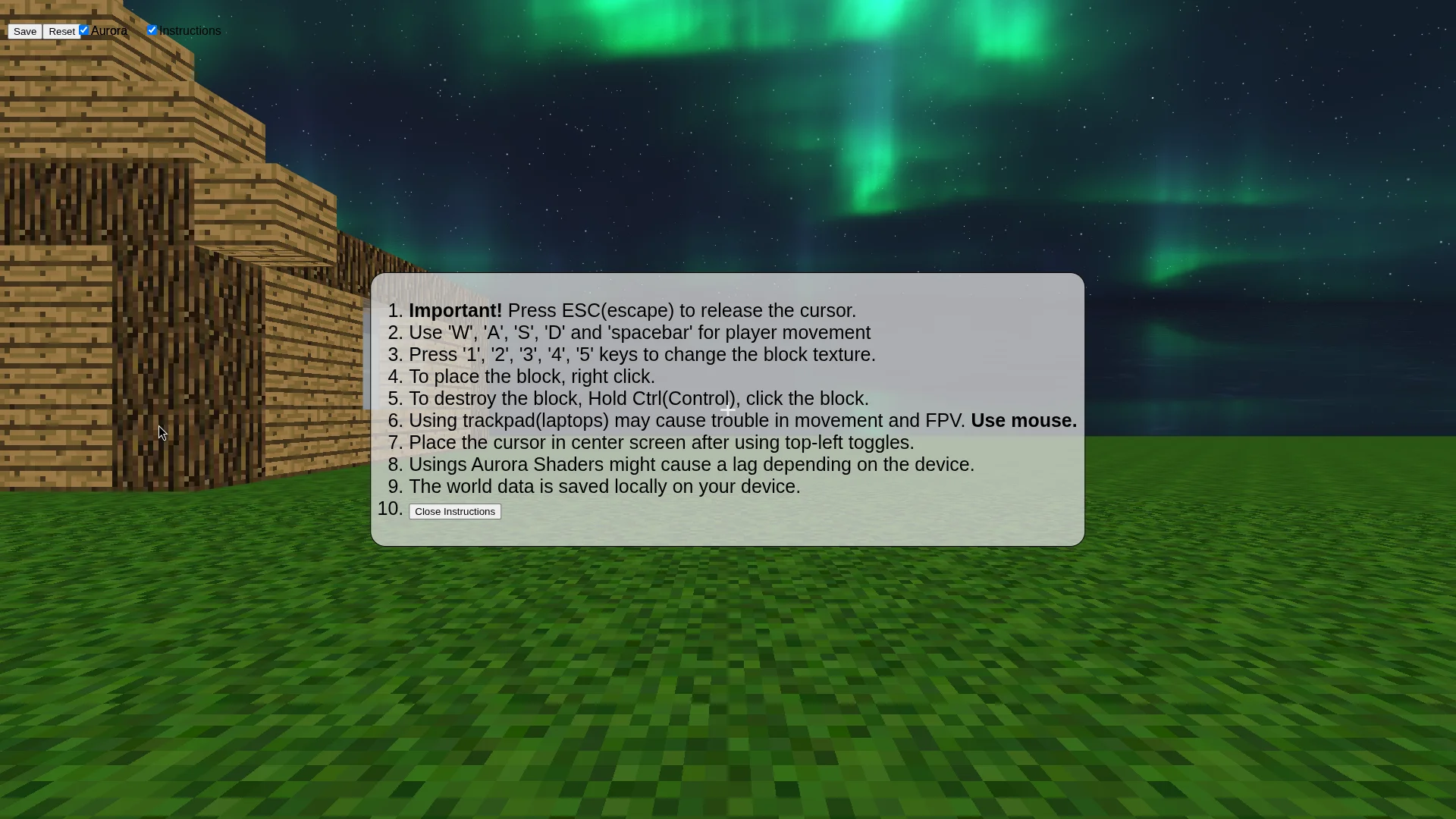
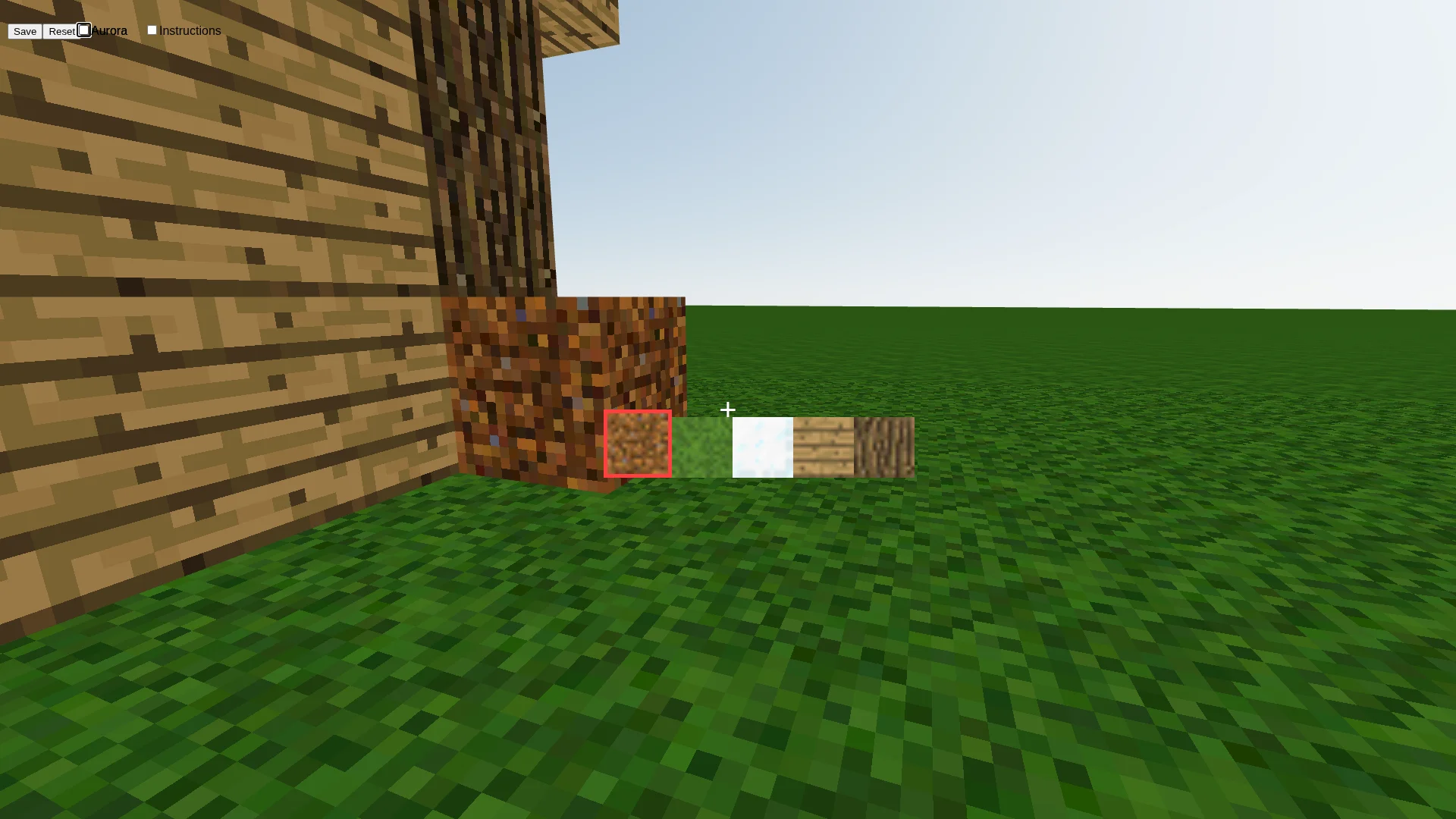
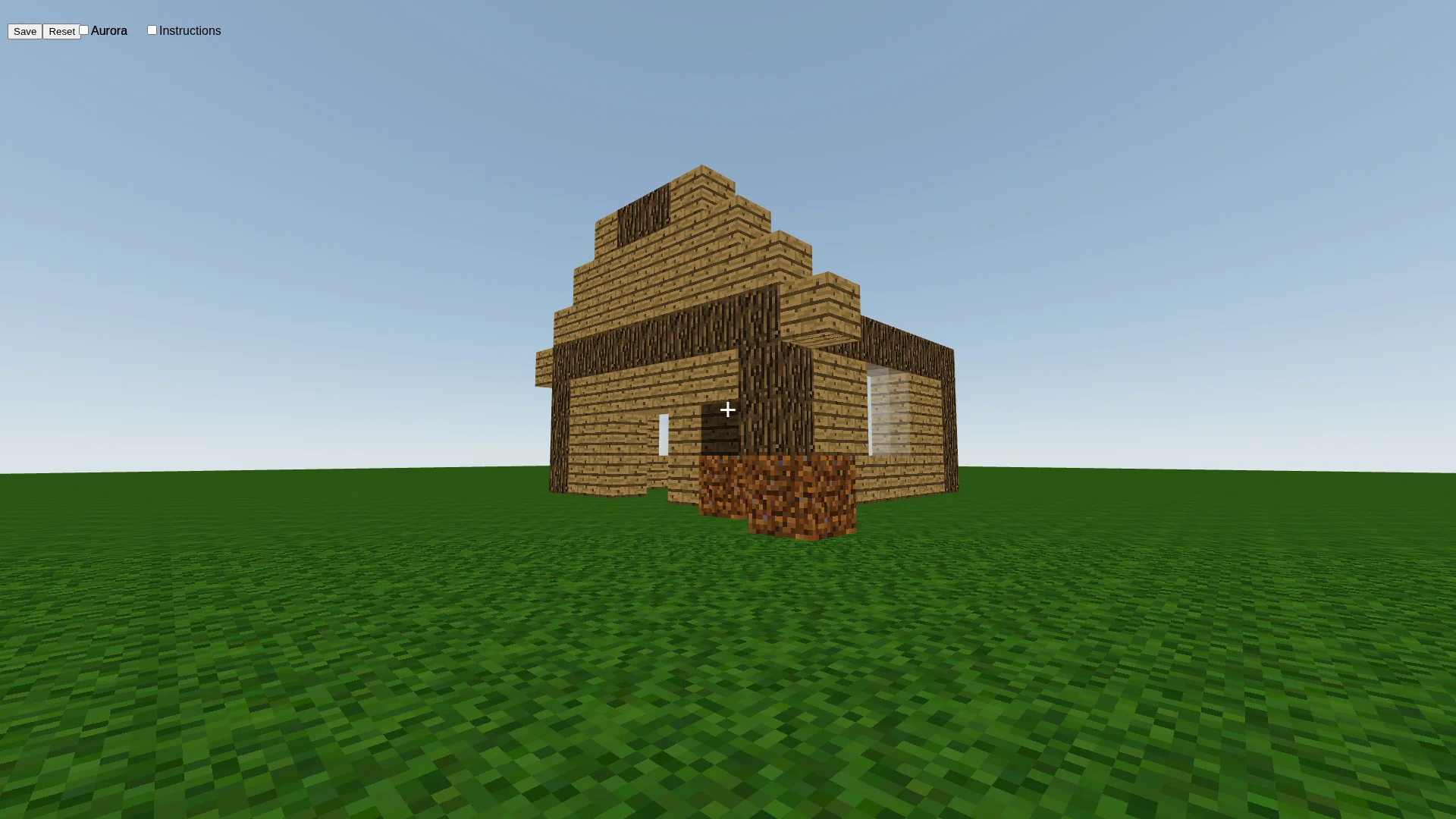
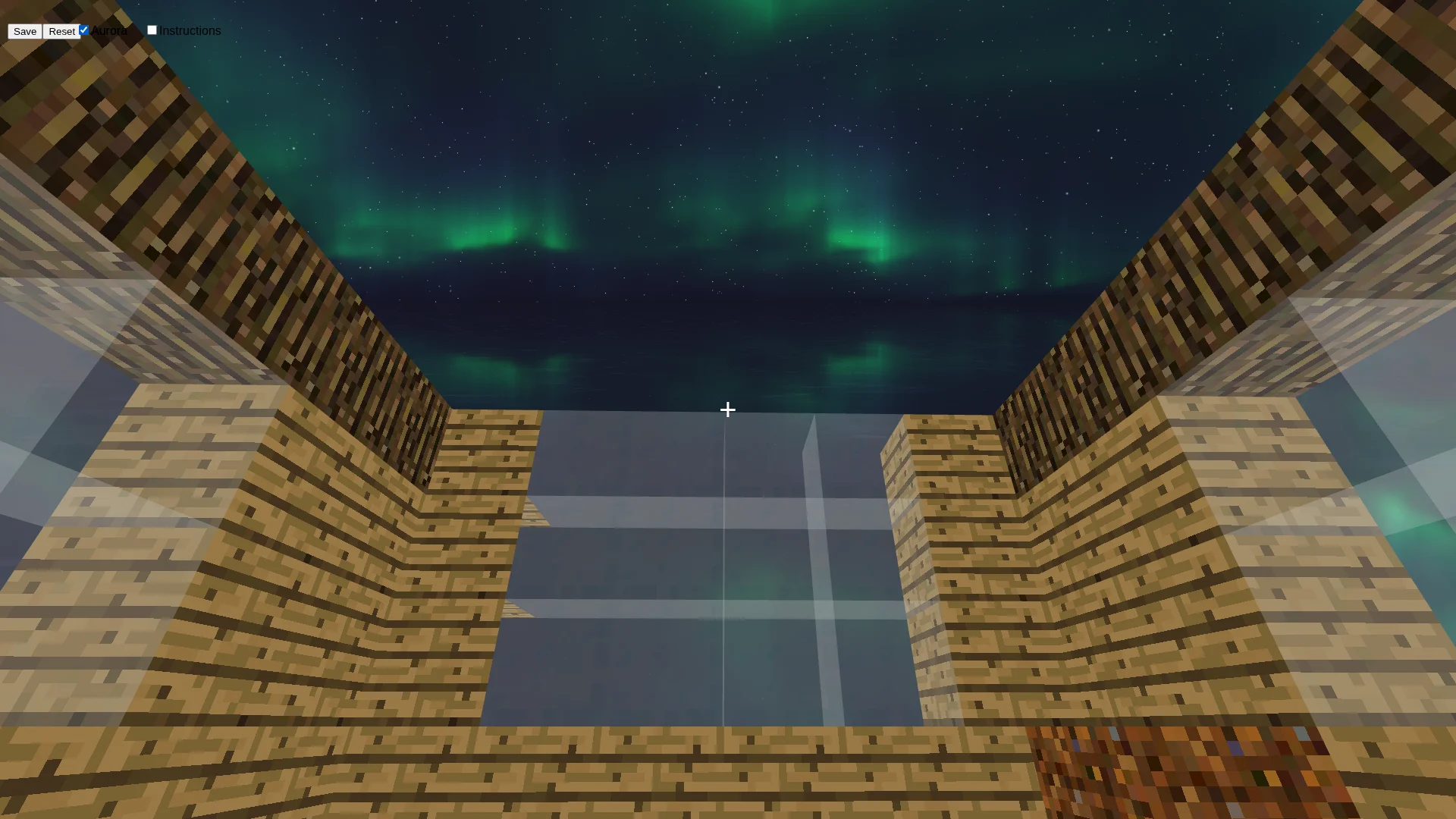
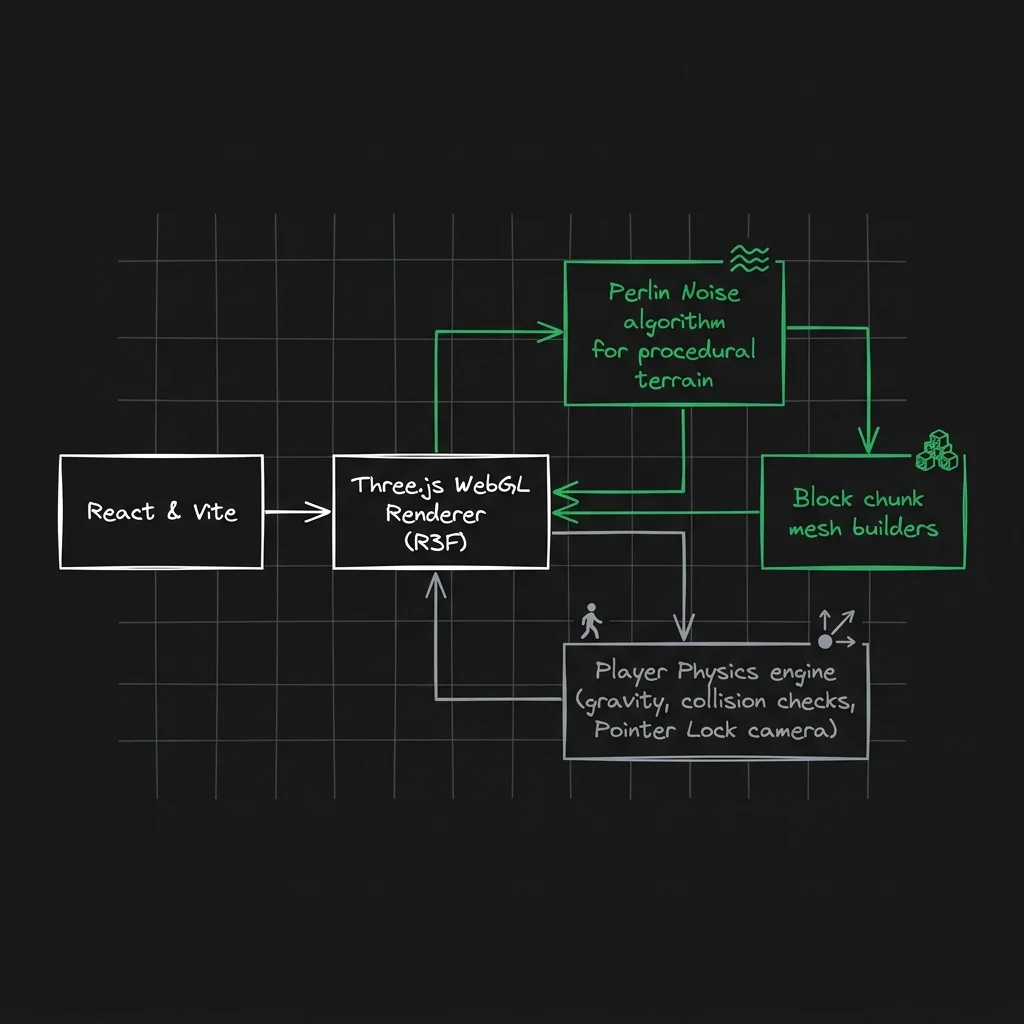
Building a high-fps voxel simulator inside a React-Three-Fiber environment requires coordinating raw shader scripts, client-side state synchronizations, and physics coordinate projections. This showcase documents the architectural decisions that enable interactive block placing, collision checking, and procedural skybox rendering inside a modern WebGL frame.
3D Voxel Engine & Physics Architecture
The diagram below details the physics subscription cycles, velocity transformations, coordinate snapping systems, and state synchronization pipelines that run in parallel with every animation frame.
┌─────────────────────────────────────────────────────────────────────────────────────┐
│                        LAYER 1 — INPUT SOURCES                                      │
│                                                                                     │
│  ┌──────────────────┐   ┌──────────────────┐   ┌──────────────────┐                │
│  │  Keyboard Events │   │  Mouse (Pointer   │   │  Click Events    │                │
│  │  ─────────────── │   │   Lock API)       │   │  ─────────────── │                │
│  │  W/A/S/D pressed │   │  ─────────────── │   │  onPointerMove   │                │
│  │  Space bar jump  │   │  dx/dy deltas     │   │  onClick (block) │                │
│  │  → boolean flags │   │  → Euler rotation │   │  Ctrl+click del  │                │
│  └────────┬─────────┘   └────────┬──────────┘   └────────┬─────────┘                │
└───────────┼──────────────────────┼───────────────────────┼──────────────────────────┘
            │                      │                       │
            ▼                      ▼                       ▼
┌─────────────────────────────────────────────────────────────────────────────────────┐
│                        LAYER 2 — HOOK PROCESSING                                    │
│                                                                                     │
│  ┌──────────────────────────┐          ┌────────────────────────────────────┐       │
│  │  useKeyboard()           │          │  FPV Component (PointerLockControls)│       │
│  │  ──────────────────────  │          │  ────────────────────────────────  │       │
│  │  Subscribes keydown/up   │          │  Locks mouse to canvas viewport     │       │
│  │  Returns boolean map:    │          │  Updates camera.rotation.x/y        │       │
│  │  { moveForward,          │          │  Euler order: YXZ (FPS standard)    │       │
│  │    moveBackward,         │          └──────────────────┬─────────────────┘       │
│  │    moveLeft, moveRight,  │                             │                         │
│  │    jump }                │                             │                         │
│  └────────────┬─────────────┘                             │                         │
└───────────────┼───────────────────────────────────────────┼─────────────────────────┘
                │                                           │
                ▼                                           ▼
┌─────────────────────────────────────────────────────────────────────────────────────┐
│                        LAYER 3 — PHYSICS FRAME LOOP (useFrame)                      │
│                                                                                     │
│  ┌────────────────────────────────────────────────────────────────────────────────┐ │
│  │  Per-frame execution  (called every requestAnimationFrame by R3F Canvas)       │ │
│  │  ──────────────────────────────────────────────────────────────────────────    │ │
│  │                                                                                │ │
│  │  STEP 1 — Sync camera to physics body position:                                │ │
│  │    camera.position.copy( Vector3(pos.current[0,1,2]) )                         │ │
│  │                                                                                │ │
│  │  STEP 2 — Compute world-space movement vector:                                 │ │
│  │    frontVector = Vector3(0, 0, backward - forward)                             │ │
│  │    sideVector  = Vector3(left - right, 0, 0)                                   │ │
│  │    direction   = (frontVector - sideVector)                                    │ │
│  │                    .normalize()                                                │ │
│  │                    .multiplyScalar(SPEED=4)                                    │ │
│  │                    .applyEuler(camera.rotation)    ← project to look direction │ │
│  │                                                                                │ │
│  │  STEP 3 — Apply velocity to Cannon physics sphere:                             │ │
│  │    api.velocity.set(direction.x, vel.current[1], direction.z)                  │ │
│  │                                                                                │ │
│  │  STEP 4 — Jump guard (prevents air jumps):                                     │ │
│  │    if (jump && |vel.y| < 0.05) → api.velocity.set(vx, JUMP_FORCE=3, vz)       │ │
│  └──────────────────────────────────┬─────────────────────────────────────────────┘ │
└─────────────────────────────────────┼───────────────────────────────────────────────┘
                                      │
                    ┌─────────────────┴──────────────────┐
                    ▼                                      ▼
┌───────────────────────────────┐     ┌────────────────────────────────────────────────┐
│  CANNON PLAYER BODY           │     │  CANNON CUBE BODIES                            │
│  @react-three/cannon          │     │  @react-three/cannon                           │
│  ─────────────────────────    │     │  ────────────────────────────────────────────  │
│  useSphere({ mass: 1,         │     │  useBox({ type: 'Static', position })          │
│    type: 'Dynamic',           │     │  One body per cube in state array              │
│    position: [0,1,0] })       │     │  Collision enabled against player sphere       │
│                               │     │  onPointerMove → isHovered state              │
│  api.position.subscribe()     │     │  onClick → reads faceIndex, dispatches         │
│    → pos.current = [x,y,z]    │     │    addCube(x±1/y±1/z±1) by face normal        │
│  api.velocity.subscribe()     │     │  Ctrl+click → removeCube(x,y,z)               │
│    → vel.current = [x,y,z]    │     └────────────────────┬───────────────────────────┘
└───────────────────────────────┘                          │
                                                           ▼
┌─────────────────────────────────────────────────────────────────────────────────────┐
│                        LAYER 4 — STATE MANAGEMENT (Zustand)                         │
│                                                                                     │
│  ┌──────────────────────────────────────┐   ┌──────────────────────────────────┐   │
│  │  useStore (global Zustand store)     │   │  localStorage bridge             │   │
│  │  ────────────────────────────────    │   │  ──────────────────────────────  │   │
│  │  cubes: [{ key, pos, texture }]      │◄──│  getLocalStorage('cubes')        │   │
│  │  texture: 'dirt' | 'grass' | …       │   │  Hydrated on first mount         │   │
│  │                                      │──►│  saveWorld() serializes state     │   │
│  │  addCube(x,y,z) → spread + nanoid    │   │  resetWorld() clears to []        │   │
│  │  removeCube(x,y,z) → filter by pos   │   │  Fallback: prebuilt "ghar" model  │   │
│  │  setTexture(t) → active brush        │   └──────────────────────────────────┘   │
│  └──────────────────────┬───────────────┘                                          │
└─────────────────────────┼───────────────────────────────────────────────────────────┘
                          │
                          ▼
┌─────────────────────────────────────────────────────────────────────────────────────┐
│                        LAYER 5 — WEBGL RENDER PIPELINE                              │
│                                                                                     │
│  ┌─────────────────┐   ┌──────────────────────┐   ┌─────────────────────────────┐  │
│  │  GLSL Sky Shader│   │  Cube Mesh (Cube.js)  │   │  Ground Plane (Ground.js)   │  │
│  │  ─────────────  │   │  ───────────────────  │   │  ─────────────────────────  │  │
│  │  ShaderMaterial │   │  boxBufferGeometry    │   │  usePlane(rotation -π/2)    │  │
│  │  iTime uniform  │   │  meshStandardMaterial │   │  100×100 tiled grass tex    │  │
│  │  iResolution    │   │  NearestFilter tex    │   │  RepeatWrapping ×100        │  │
│  │  triNoise2d()   │   │  opacity=0.3 (glass)  │   │  onClick → addCube at       │  │
│  │  aurora() march │   │  hover → grey tint    │   │    Math.ceil(e.point)        │  │
│  │  stars() hash   │   │  texture = store.tex  │   └─────────────────────────────┘  │
│  └────────┬────────┘   └──────────┬───────────┘                                    │
│           │                       │                                                 │
│           └───────────────────────┴──────────────────┐                              │
│                                                       ▼                             │
│                          ┌────────────────────────────────────────┐                 │
│                          │  R3F Canvas (60 FPS WebGL render loop) │                 │
│                          │  ────────────────────────────────────  │                 │
│                          │  <Physics> wraps Player + Cubes + Gnd  │                 │
│                          │  <FPV> pointer lock camera controller  │                 │
│                          │  <MySky> aurora shader plane mesh      │                 │
│                          │  <TextureSelector> UI brush overlay    │                 │
│                          └────────────────────────────────────────┘                 │
└─────────────────────────────────────────────────────────────────────────────────────┘
Dynamic Player Movement & Camera Projections
The player's camera rig uses @react-three/cannon physics for spatial movements. In every render frame (controlled inside useFrame), the client reads active keyboard bindings from the custom useKeyboard listener hook, projects front and side vector displacements, normalizes their direction, and maps them to the camera's orientation matrix using Euler transformations:
useFrame(()=> {
    // Lock camera positioning directly to the player physics sphere coords
    camera.position.copy(new Vector3(pos.current[0], pos.current[1], pos.current[2]))

    const direction = new Vector3()
    const frontVector = new Vector3(
        0,
        0,
        (moveBackward ? 1 : 0) - (moveForward ? 1 : 0)
    )

    const sideVector = new Vector3(
        (moveLeft ? 1 : 0) - (moveRight ? 1 : 0),
        0,
        0,
    )

    // Calculate Euler rotation based on player camera look direction
    direction.subVectors(frontVector, sideVector)
        .normalize()
        .multiplyScalar(SPEED)
        .applyEuler(camera.rotation)

    // Apply relative velocity vectors to the physical sphere
    api.velocity.set(direction.x, vel.current[1], direction.z)

    // Enable jump force checks only if player contact matches stable Y velocity bounds
    if(jump && Math.abs(vel.current[1]) < 0.05) {
        api.velocity.set(vel.current[0], JUMP_FORCE, vel.current[2])
    }
})
Zustand World State & Local Storage Sync
State management is handled through a Zustand store. Blocks placed by the user are saved under cubes. If no saved map is found in the browser's localStorage, the store defaults to rendering a pre-built model defined in HomeObject.js (internally named ghar, meaning "house"):
export const useStore = create((set)=> ({
    texture: 'dirt',
    cubes: getLocalStorage('cubes') || ghar,
    addCube: (x, y, z) => {
        set((prev)=> ({
            cubes: [
                ...prev.cubes,
                {
                    key: nanoid(),
                    pos: [x, y, z],
                    texture: prev.texture
                }
            ]
        }))
    },
    removeCube: (x, y, z)=> {
        set((prev)=> ({
            cubes: prev.cubes.filter(cube => {
                const [X, Y, Z] = cube.pos
                return X !== x || Y !== y || Z !== z
            })
        }))
    },
    setTexture: (texture)=> {
        set(()=> ({ texture }))
    },
    saveWorld: ()=> {
        set((prev)=> {
            setLocalStorage('cubes', prev.cubes)
            return prev
        })
    },
    resetWorld: ()=> {
        set(()=> ({ cubes: [] }))
    },
}))
Retro Texture Mapping & Filtering
To maintain the retro pixelated look, raw image loading uses custom texture magnification rules. By overriding the default WebGL linear interpolation filter with NearestFilter, texture boundaries do not blur when rendered close to the player view:
import { NearestFilter, RepeatWrapping, TextureLoader } from 'three'
import { dirtImg, glassImg, grassImg, logImg, woodImg } from './images'

const dirtTexture = new TextureLoader().load(dirtImg);
const glassTexture = new TextureLoader().load(glassImg);
const grassTexture = new TextureLoader().load(grassImg);
const woodTexture = new TextureLoader().load(woodImg);
const logTexture = new TextureLoader().load(logImg);

// Clamp magnification to NearestFilter to disable blurry linear interpolation
dirtTexture.magFilter = NearestFilter
glassTexture.magFilter = NearestFilter
grassTexture.magFilter = NearestFilter
woodTexture.magFilter = NearestFilter
logTexture.magFilter = NearestFilter
Custom GLSL Shader Sky & Aurora Raymarching
Instead of loading standard spherical skybox static images, the game features a custom GLSL fragment shader simulating a rotating starfield and animated northern lights (aurora borealis). The shader computes noise octaves and traces light rays on the GPU:
// Tri-noise generator for natural plasma distribution
float triNoise2d(in vec2 p, float spd) {
    float z = 1.8;
    float z2 = 2.5;
    float rz = 0.;
    p *= mm2(p.x * 0.06);
    vec2 bp = p;
    for (float i = 0.; i < 5.; i++) {
        vec2 dg = tri2(bp * 1.85) * .75;
        dg *= mm2(time * spd);
        p -= dg / z2;
        bp *= 1.3;
        z2 *= .45;
        z *= .42;
        p *= 1.21 + (rz - 1.0) * .02;
        rz += tri(p.x + tri(p.y)) * z;
        p *= -m2;
    }
    return clamp(1. / pow(rz * 29., 1.3), 0., .55);
}

// Raymarching loop calculating light distribution and color shifts
vec4 aurora(vec3 ro, vec3 rd) {
    vec4 col = vec4(0);
    vec4 avgCol = vec4(0);
    for(float i = 0.; i < 50.; i++) {
        float of = 0.006 * hash21(gl_FragCoord.xy) * smoothstep(0., 15., i);
        float pt = ((.8 + pow(i, 1.4) * .002) - ro.y) / (rd.y * 2. + 0.4);
        pt -= of;
        vec3 bpos = ro + pt * rd;
        vec2 p = bpos.zx;
        float rzt = triNoise2d(p, 0.06);
        vec4 col2 = vec4(0, 0, 0, rzt);
        col2.rgb = (sin(1. - vec3(2.15, -.5, 1.2) + i * 0.043) * 0.5 + 0.5) * rzt;
        avgCol = mix(avgCol, col2, .5);
        col += avgCol * exp2(-i * 0.065 - 2.5) * smoothstep(0., 5., i);
    }
    col *= (clamp(rd.y * 15. + .4, 0., 1.));
    return col * 1.8;
}
Voxel Face Selection Quirk
When creating or destroying cubes, the engine intercepts mouse hover and click events on each standard box mesh. The clicked box face index is divided by two to locate the correct normal vector plane:
const clickedFace = Math.floor(e.faceIndex / 2)

if (e.ctrlKey) {
    removeCube(x, y, z)
    return
}
if (clickedFace === 0) { addCube(x + 1, y, z) } // +X Normal
else if (clickedFace === 1) { addCube(x - 1, y, z) } // -X Normal
else if (clickedFace === 2) { addCube(x, y + 1, z) } // +Y Normal
else if (clickedFace === 3) { addCube(x, y - 1, z) } // -Y Normal
else if (clickedFace === 4) { addCube(x, y, z + 1) } // +Z Normal
else if (clickedFace === 5) { addCube(x - 1, y, z - 1) } // -Z Normal (Offset quirk)
Key Learnings
Developing Web Minecraft highlighted the importance of texture sampling optimizations and vector translation pipelines. Restricting updates to local component bounding models ensures stable rendering speeds without overloading the main thread. Implementing raymarching calculations directly inside WebGL fragment shaders demonstrates how GPU-bound execution cycles can render rich, interactive environments without dropping below the target 60 FPS refresh threshold.