
Emporium: Headless E-Commerce Dashboard
Headless multi-store e-commerce dashboard and CMS with custom product catalogs, order tracking desk, and Stripe checkouts.








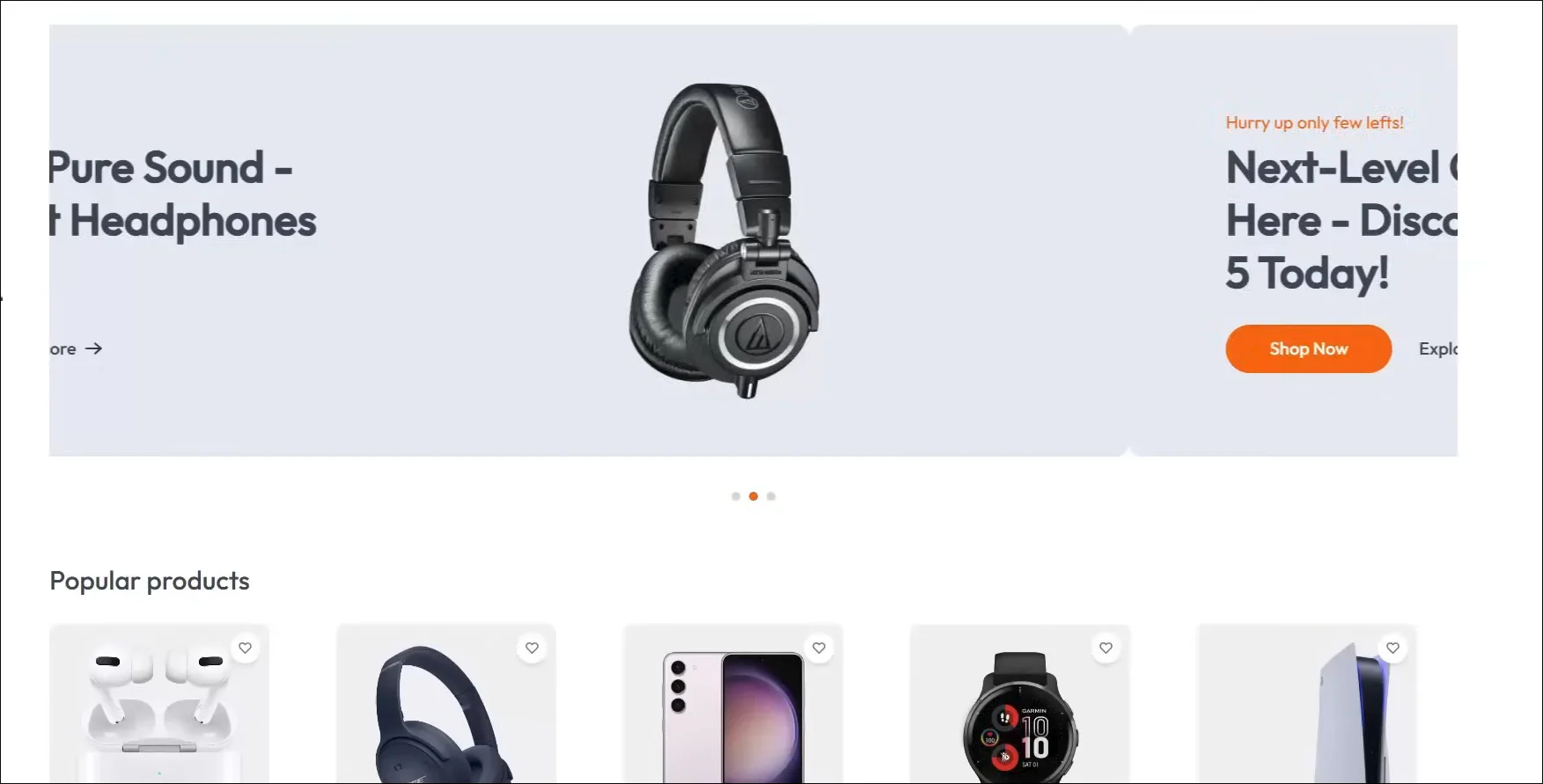
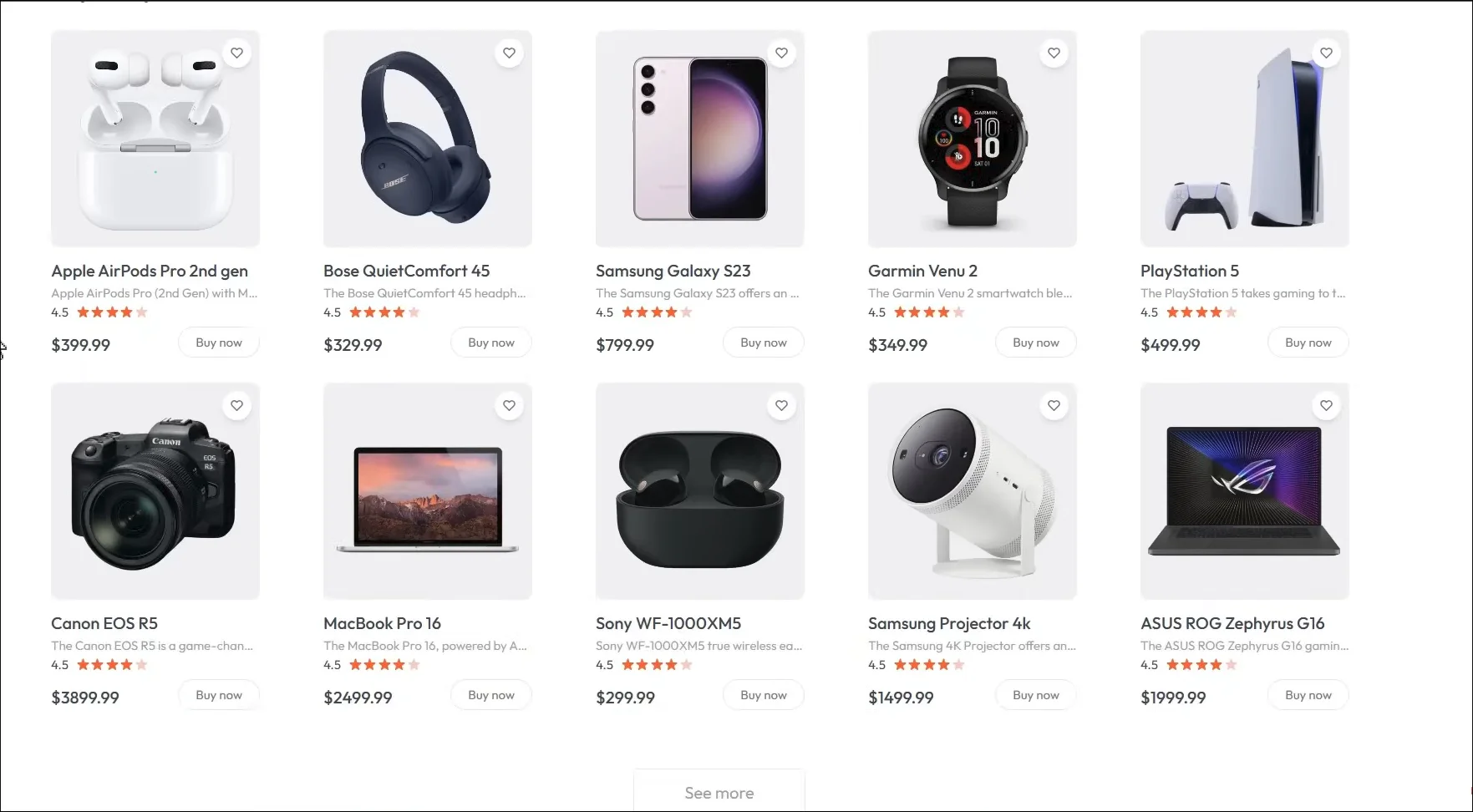
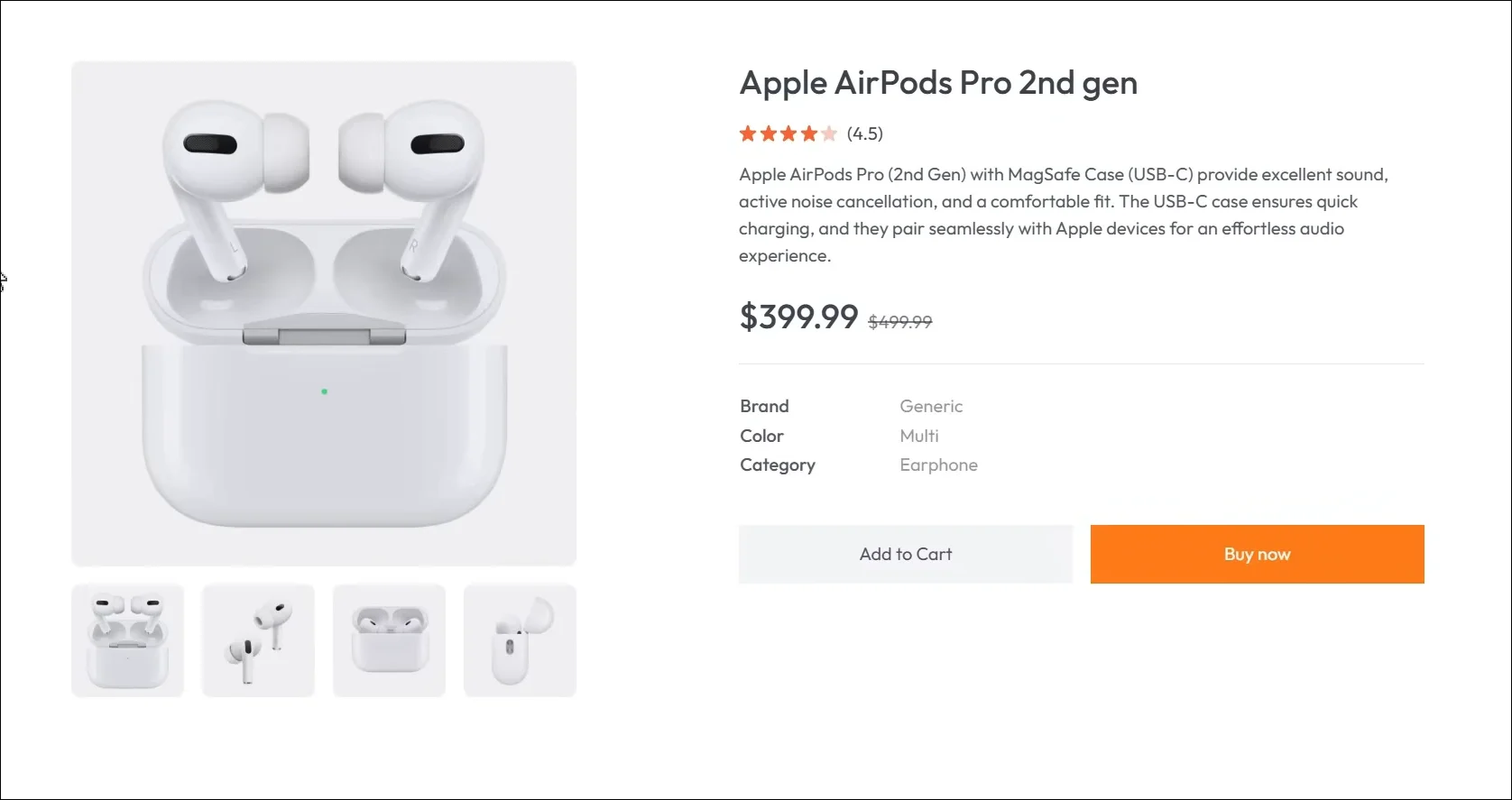
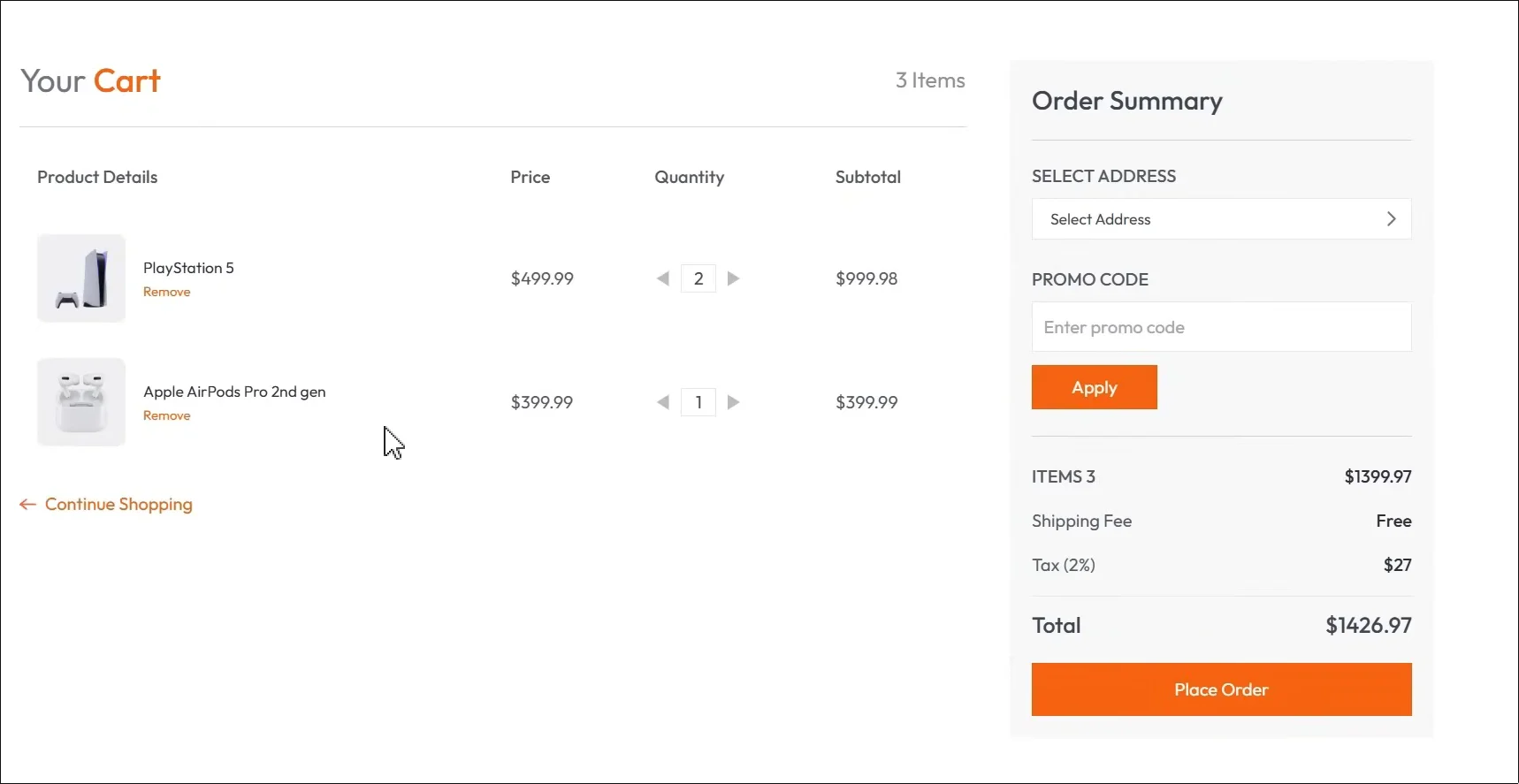
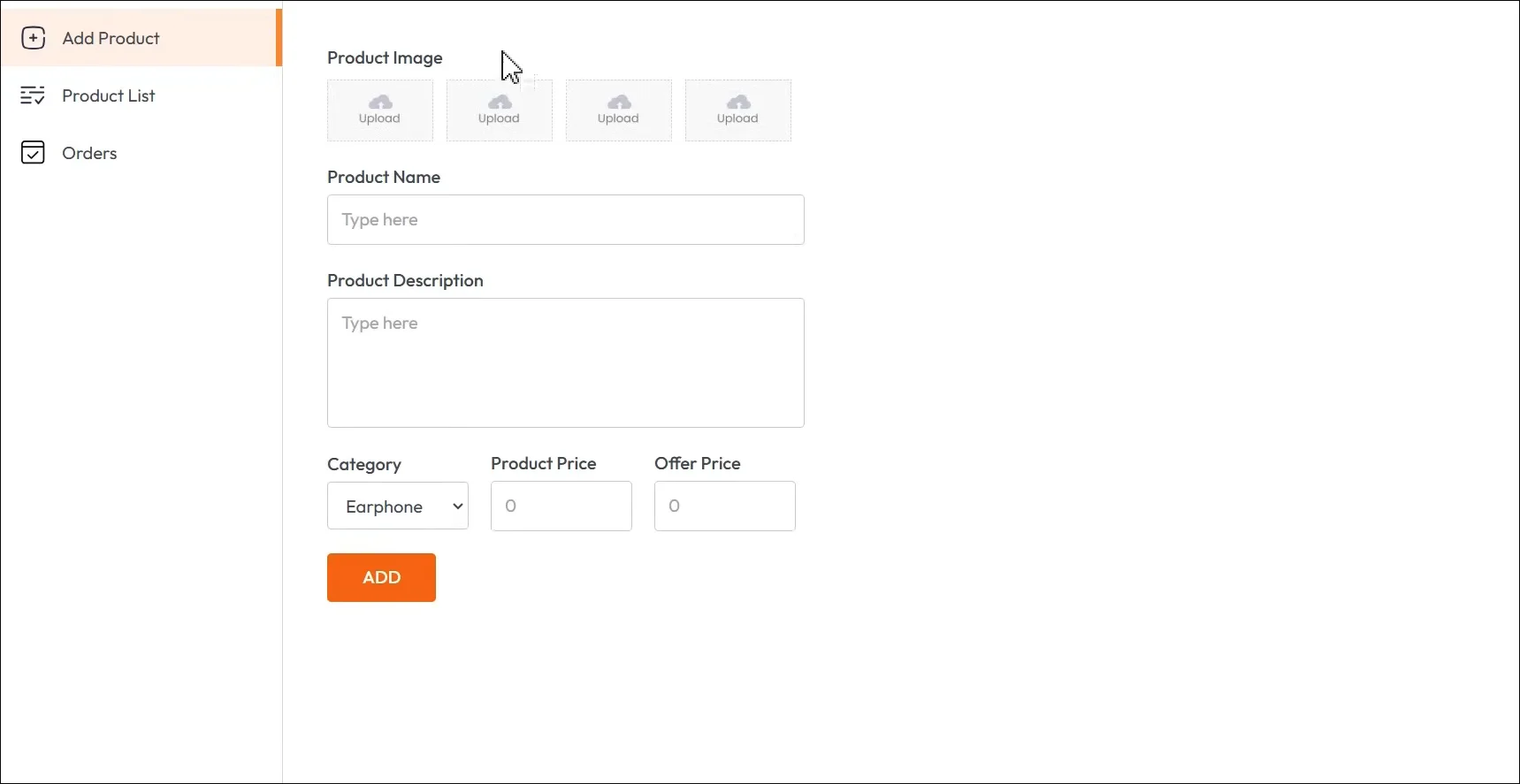
Emporium is a complete headless e-commerce and store manager system built to understand the full product purchase lifecycle — from multi-tenant catalogue configuration to secure payment webhooks — in a production-quality codebase.
Headless Architecture
Emporium separates content management from presentation. An administrator can register multiple independent stores (e.g., shoe store, clothing boutique) from a single admin panel. Each store gets its own API routes that can feed any external React/Next.js frontend storefront application.
Database Schema Relationships
To achieve a production-ready headless catalog model, the database schema represents relationships for Store, Billboards, Categories, Sizes, Colors, Products, Images, Orders, and OrderItems. The relations are declared explicitly in Prisma schema models:
| Model | Relationships | Description |
|---|---|---|
| Store | Has many Billboards, Categories, Sizes, Colors, Products, Orders | The root tenant container representing a single independent store. |
| Billboard | Belongs to Store, Has many Categories | Large graphic banners featured at the top of a store frontend. |
| Category | Belongs to Store & Billboard, Has many Products | Organized classifications for products (e.g. Shirts, Pants). |
| Size / Color | Belongs to Store, Has many Products | Standardized attributes dynamically populated for product listings. |
| Product | Belongs to Store, Category, Size, Color; Has many Images & OrderItems | The base product offering with price, stock, and display attributes. |
| Order / OrderItem | Belongs to Store, Has many OrderItems | Sales records tracking purchase items, Stripe status, and delivery. |
The Prisma models are structured as follows:
model Store {
  id         String      @id @default(uuid())
  name       String
  userId     String
  billboards Billboard[] @relation("StoreToBillboard")
  categories Category[]  @relation("StoreToCategory")
  products   Product[]   @relation("StoreToProduct")
  sizes      Size[]      @relation("StoreToSize")
  colors     Color[]     @relation("StoreToColor")
  orders     Order[]     @relation("StoreToOrder")
  createdAt  DateTime    @default(now())
  updatedAt  DateTime    @updatedAt
}

model Product {
  id         String      @id @default(uuid())
  storeId    String
  store      Store       @relation("StoreToProduct", fields: [storeId], references: [id])
  categoryId String
  category   Category    @relation("CategoryToProduct", fields: [categoryId], references: [id])
  name       String
  price      Decimal
  isFeatured Boolean     @default(false)
  isArchived Boolean     @default(false)
  sizeId     String
  size       Size        @relation(fields: [sizeId], references: [id])
  colorId    String
  color      Color       @relation(fields: [colorId], references: [id])
  images     Image[]
  orderItems OrderItem[]
  createdAt  DateTime    @default(now())
  updatedAt  DateTime    @updatedAt
}
What's Inside
The application covers the complete buyer journey:
- Product catalog with category filtering, price sorting, and text search
- Product detail pages with image galleries, size/variant selectors, and add-to-cart
- Shopping cart with real-time quantity updates and price calculation
- Multi-step checkout — address, shipping, payment
- User accounts — order history and saved addresses
- Admin dashboard — product CRUD, inventory management, order fulfillment
Architecture
Built on Next.js App Router with PostgreSQL for persistent storage. Product images are stored in Cloudinary or S3 buckets. Authentication uses Clerk/NextAuth with credential and social providers.
Here is an example Server Action demonstrating cart mutations with optimistic database transactions:
// Server Action for cart mutation
'use server';
export async function addToCart(productId: string, quantity: number) {
  const session = await getServerSession();
  if (!session?.user) redirect('/login');

  await db.transaction(async (tx) => {
    const existing = await tx.query.cartItems.findFirst({
      where: and(
        eq(cartItems.userId, session.user.id),
        eq(cartItems.productId, productId)
      )
    });

    if (existing) {
      await tx.update(cartItems)
        .set({ quantity: existing.quantity + quantity })
        .where(eq(cartItems.id, existing.id));
    } else {
      await tx.insert(cartItems).values({
        userId: session.user.id,
        productId,
        quantity
      });
    }
  });

  revalidatePath('/cart');
}
Stripe Webhook Verification
To keep order shipping in sync with payments, a custom Webhook checks Stripe checkout completion events. This guarantees database consistency for paid orders:
import { headers } from "next/headers";
import { NextResponse } from "next/server";
import stripe from "@/lib/stripe";
import { db } from "@/lib/db";

export async function POST(req: Request) {
  const body = await req.text();
  const signature = headers().get("Stripe-Signature") as string;

  let event;
  try {
    event = stripe.webhooks.constructEvent(
      body,
      signature,
      process.env.STRIPE_WEBHOOK_SECRET!
    );
  } catch (error: any) {
    return new NextResponse(`Webhook Error: ${error.message}`, { status: 400 });
  }

  const session = event.data.object as any;
  const address = session?.customer_details?.address;

  if (event.type === "checkout.session.completed") {
    const order = await db.order.update({
      where: { id: session?.metadata?.orderId },
      data: {
        isPaid: true,
        address: `${address?.line1}, ${address?.city}, ${address?.state}, ${address?.postal_code}`,
        phone: session?.customer_details?.phone || "",
      },
      include: { orderItems: true }
    });

    // Decrement inventory stocks inside transaction locks
  }

  return new NextResponse(null, { status: 200 });
}
Key Learnings
This project deepened my understanding of optimistic UI patterns — updating cart state instantly in the UI before the server confirms the mutation, then reconciling if it fails. It also taught me the complexity of inventory management at the database level: preventing overselling requires transaction row locks (SELECT FOR UPDATE) to handle high-concurrency buyers safely.